01 / Beginner guide
Your first
approach.
One aircraft. One clearance at a time. Learn to read what the scope is telling you before adding more traffic.
For the development build · updated 26 September 2026 · touch controls
Start with a guided arrival.
The guided arrival is a useful place to learn the controls before choosing a Free Play shift. Follow the scenario prompts and keep your attention on the selected aircraft.
In the airport browser, check the support information for the location you choose. Browsing an airport is different from having every mode or ground feature available there.
Read the selected flight.
Tap an aircraft on the radar. Its callsign identifies the flight your next instruction will address. The selected-flight panel shows information such as altitude and speed, along with available clearance controls.
- Heading
- The direction you ask the aircraft to fly.
- Altitude
- The vertical position you ask it to reach.
- Speed
- A way to adjust the spacing between arrivals.
Check the callsign again before sending an instruction. A good plan for one aircraft may not be the right plan for the next.
Review the turn before sending.
On the radar, dragging a heading for the selected aircraft opens a review. Look at the proposed vector and the displayed heading. Choose Send heading to issue it, or Cancel to leave that draft behind.
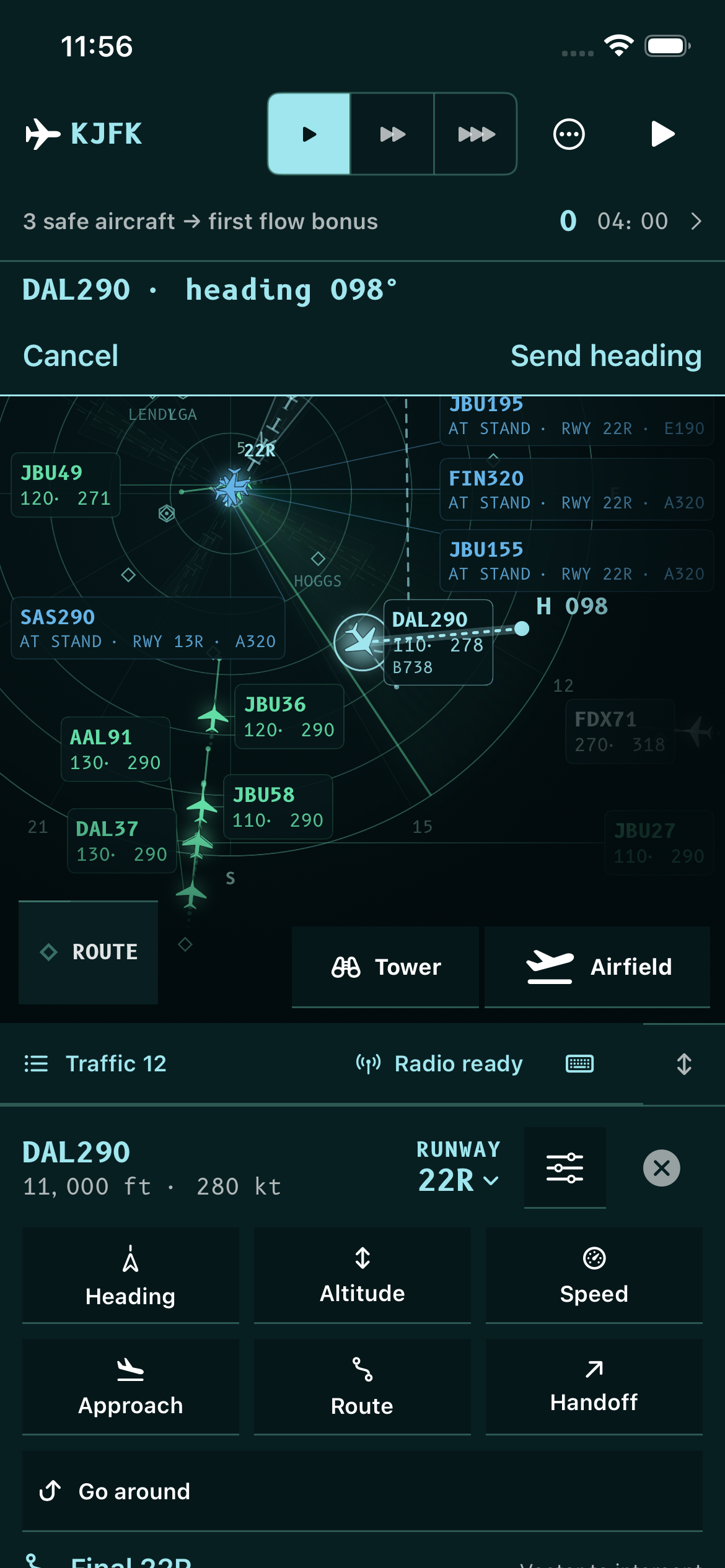
The screenshot shows a particular moment in a development session. Its numbers are not a clearance recipe for another arrival.
Build the sequence.
Think about where each arrival will be after the next turn. Headings change the route; altitude and speed change the way the traffic fits together. Make a deliberate change, then watch the result on the scope.
The selected-flight controls keep heading, altitude, speed and approach actions together. Use the scenario’s guidance while learning when to apply each one.
Follow the approach through.
Continue with the guided scenario as it introduces the approach clearance and brings the aircraft toward the runway. Then review the result before trying a busier shift.
The development build also includes ground-route planning and a view that follows an aircraft after landing. Ground support varies by airport; some taxiways and stands use representative training geometry.
Vectors to Final is a game. This page is not for real-world aircraft operations or professional controller training.
Back to the field guide